> ## Documentation Index
> Fetch the complete documentation index at: https://help.broadstripes.com/llms.txt
> Use this file to discover all available pages before exploring further.
# Search the union portal
> Use the union portal header search to find projects and users, open settings, and filter the Projects and Users tables by name.
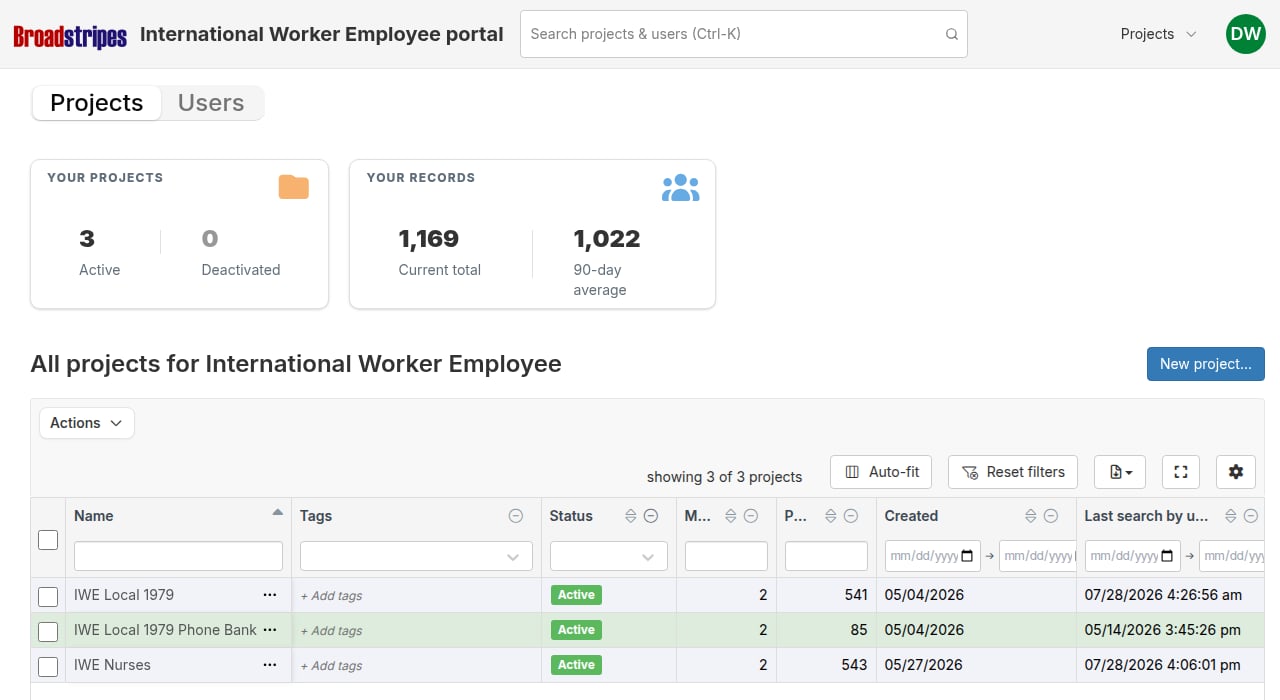
Union admins have a combined search bar at the top of the union portal header that searches both projects and users at the same time. Type a name to find a project or a person, select a result to open its settings or memberships directly, or use the "view matching" rows to switch tabs and pre-filter the table.
## Open the search
Click the search bar in the union portal header, or press **Cmd+K** on a Mac or **Ctrl+K** on Windows and Linux to focus it from the keyboard.
 Typing begins after two characters. A brief pause after each keystroke keeps requests from stacking up as you type.
## Search results
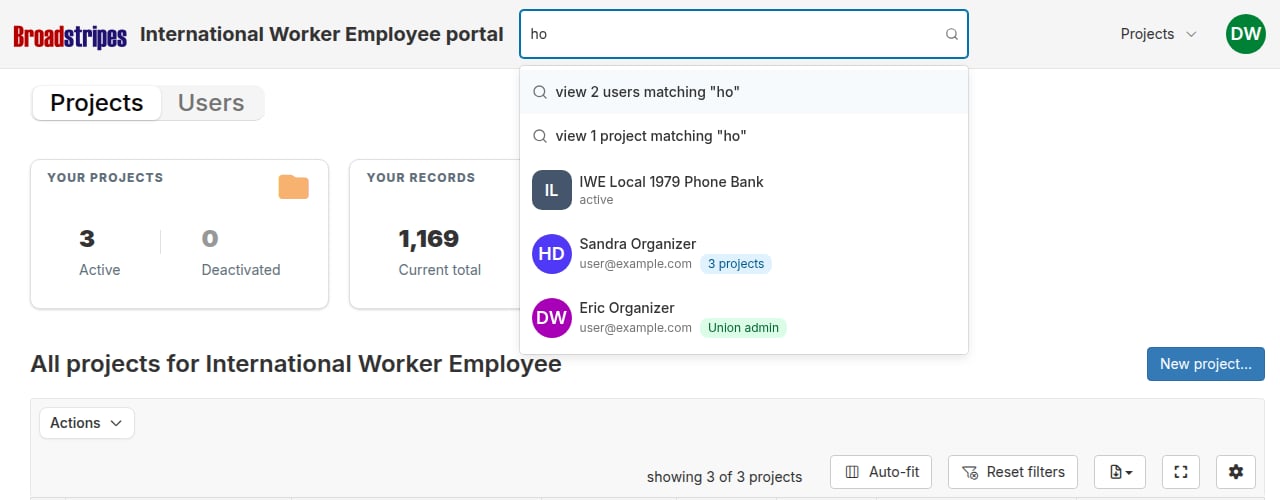
Results appear in a dropdown below the search bar. The dropdown shows up to 20 projects and up to 20 users. Projects appear first, followed by users.
Each type of result row shows different information:
* **Project rows** -- a colored square badge showing the project's initials, the project name, and the project's current status (for example, Active or Organizing).
* **User rows** -- the user's avatar, their full name, email address, and either the number of projects in the portal they belong to, or a **Union admin** badge if they are a project group admin.
At the top of the dropdown, two pinned action rows may appear:
* **"view N users matching ..."** -- available when at least one user matches.
* **"view N projects matching ..."** -- available when at least one project matches.
Selecting one of these rows switches to the corresponding tab and pre-filters the table to show only rows that contain your search term.
Typing begins after two characters. A brief pause after each keystroke keeps requests from stacking up as you type.
## Search results
Results appear in a dropdown below the search bar. The dropdown shows up to 20 projects and up to 20 users. Projects appear first, followed by users.
Each type of result row shows different information:
* **Project rows** -- a colored square badge showing the project's initials, the project name, and the project's current status (for example, Active or Organizing).
* **User rows** -- the user's avatar, their full name, email address, and either the number of projects in the portal they belong to, or a **Union admin** badge if they are a project group admin.
At the top of the dropdown, two pinned action rows may appear:
* **"view N users matching ..."** -- available when at least one user matches.
* **"view N projects matching ..."** -- available when at least one project matches.
Selecting one of these rows switches to the corresponding tab and pre-filters the table to show only rows that contain your search term.
 ## Select a result
**Selecting a project row** opens that project's general settings modal, where you can edit the project name and other settings without leaving the portal.
**Selecting a user row** opens a "Projects for \[Name]" modal showing all of the user's memberships in the portal -- the project name, role, status, last active date, invite date, and who invited them. From this modal you can toggle individual membership statuses or click **Deactivate all memberships** to remove the user's access across every project at once.
**Selecting a "view N matching..." row** switches to the Projects or Users tab and pre-filters that table to your search term. The filter runs on top of any column filters already in place in the table.
## Clear a table filter applied by search
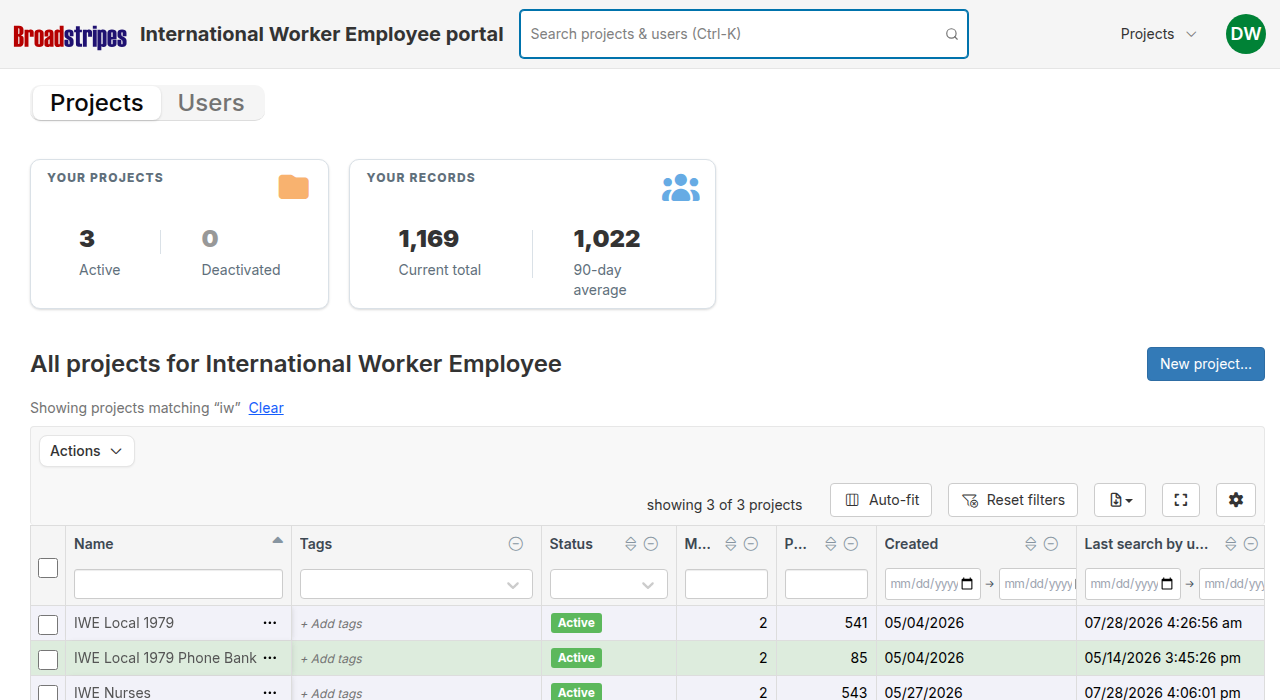
When a "view N matching..." row has filtered a tab's table, a notice appears above the table showing the active term. Click **Clear** in that notice to remove the filter and show all rows again.
## Select a result
**Selecting a project row** opens that project's general settings modal, where you can edit the project name and other settings without leaving the portal.
**Selecting a user row** opens a "Projects for \[Name]" modal showing all of the user's memberships in the portal -- the project name, role, status, last active date, invite date, and who invited them. From this modal you can toggle individual membership statuses or click **Deactivate all memberships** to remove the user's access across every project at once.
**Selecting a "view N matching..." row** switches to the Projects or Users tab and pre-filters that table to your search term. The filter runs on top of any column filters already in place in the table.
## Clear a table filter applied by search
When a "view N matching..." row has filtered a tab's table, a notice appears above the table showing the active term. Click **Clear** in that notice to remove the filter and show all rows again.
 ## Union admin indicator
Users who are project group admins (union admins) appear with a green **Union admin** badge in the search results instead of a project count. Because union admins have access to every project in the group regardless of direct membership, showing a count would understate their actual access level.
The same green badge appears in the **Role** column of any memberships table opened through the portal.
## Union admin indicator
Users who are project group admins (union admins) appear with a green **Union admin** badge in the search results instead of a project count. Because union admins have access to every project in the group regardless of direct membership, showing a count would understate their actual access level.
The same green badge appears in the **Role** column of any memberships table opened through the portal.