> ## Documentation Index
> Fetch the complete documentation index at: https://help.broadstripes.com/llms.txt
> Use this file to discover all available pages before exploring further.
# Set a SMS notification number
When using SMS messaging, Broadstripes will notify you when you receive a response from a worker or member. The app needs to know where to notify you, so you must register a mobile phone number to receive the notification.
This article will show you how to set up a notification number.
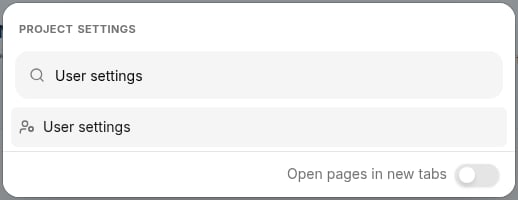
1. Log into the app and click the gear icon in the top right corner. Type "User settings" into the search box, then click **User settings**.
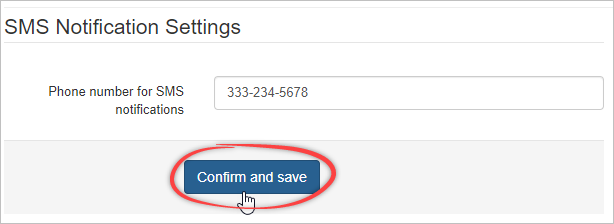
 2\. On your personal settings page, you will enter your mobile phone number and click **Confirm and save**.
  3\. You will receive a text message from Broadstripes to confirm your SMS notification number. Reply to the message with the word "**YES**".
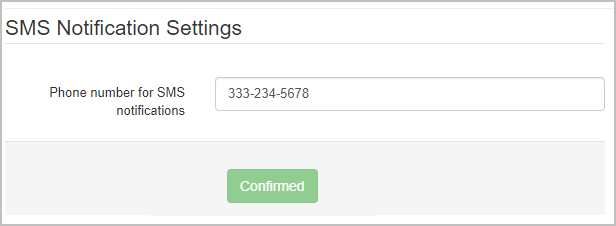
After you reply, Broadstripes will update and show your number as Confirmed.
3\. You will receive a text message from Broadstripes to confirm your SMS notification number. Reply to the message with the word "**YES**".
After you reply, Broadstripes will update and show your number as Confirmed.
 Now that your SMS notification number is confirmed, you can be [provisioned a virtual number](/docs/communications/provisioning-a-virtual-sms-number/) to start texting.