> ## Documentation Index
> Fetch the complete documentation index at: https://help.broadstripes.com/llms.txt
> Use this file to discover all available pages before exploring further.
# Notification preferences
> Control which categories of email Broadstripes sends you, including product notifications and feature update announcements.
# Notification preferences
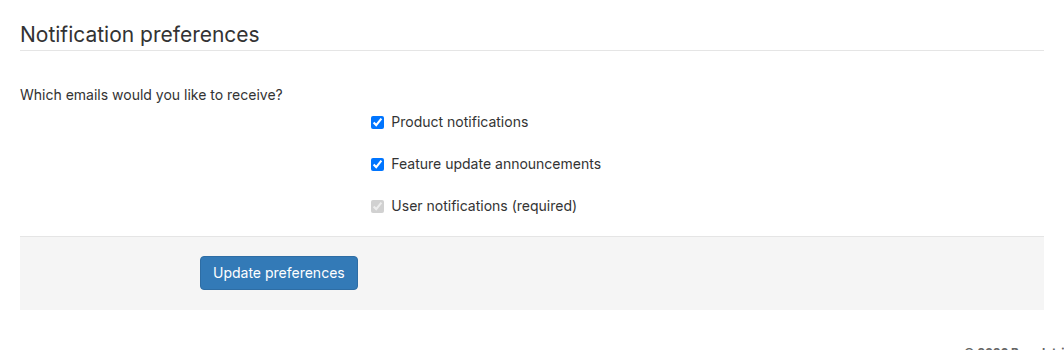
Your **Notification preferences** let you choose which categories of email you receive from Broadstripes. You can update these from your account settings page or from the unsubscribe link in any product notification email.
## Email categories
| Category | What it includes | Can be disabled |
| -------------------------------- | ------------------------------------------------------------------------------------------------------------------------ | --------------- |
| **Product notifications** | Reminder emails about your organizing activity, like alerts when workers in your project haven't been contacted recently | Yes |
| **Feature update announcements** | Emails about new Broadstripes features and improvements | Yes |
| **User notifications** | Emails directly related to your account and project work, such as scheduled report deliveries and invitation emails | No (required) |
## Update your preferences from account settings
1. In the top-right corner of Broadstripes, click your **user disc** (the circle showing your initials or photo) to open the user menu.
2. Click **User settings**.
3. Scroll down to the **Notification preferences** section.
4. Check or uncheck the categories you want to receive.
5. Click **Update preferences** to save.
 ## Update your preferences from an email link
Broadstripes product notification emails include an unsubscribe link at the bottom. Clicking it opens a preferences page where you can check or uncheck the email categories you want to receive, then click **Save Preferences** to confirm.
If you follow an unsubscribe link from an email and the link has expired or is invalid, you will see an "Invalid link" message. In that case, update your preferences directly from your account settings page instead.
## Update your preferences from an email link
Broadstripes product notification emails include an unsubscribe link at the bottom. Clicking it opens a preferences page where you can check or uncheck the email categories you want to receive, then click **Save Preferences** to confirm.
If you follow an unsubscribe link from an email and the link has expired or is invalid, you will see an "Invalid link" message. In that case, update your preferences directly from your account settings page instead.