> ## Documentation Index
> Fetch the complete documentation index at: https://help.broadstripes.com/llms.txt
> Use this file to discover all available pages before exploring further.
# Custom house visit questions
Broadstripes can automatically print individual question sheets for each person on your house visit (house call) list. As an organizer, you can use the sheets to prompt you and help you record answers to the questions that are most important to your campaign.
1. To get started, access **Custom house visit questions** by clicking the **Settings** icon in the upper right corner of any page.
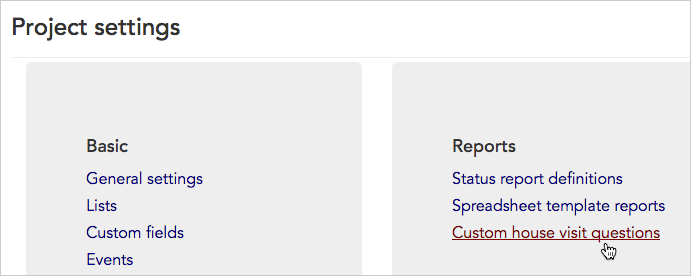
 2. From the **Project settings page**, click the **Reports > Custom house visit questions** link.
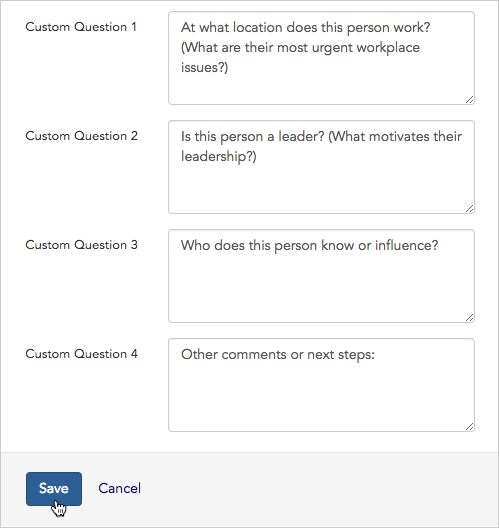
 3. Use the form that opens to enter up to four questions or talking points that organizers should cover during a house visit.
4. Click **Save** to record your work. A completed form might look like this:
3. Use the form that opens to enter up to four questions or talking points that organizers should cover during a house visit.
4. Click **Save** to record your work. A completed form might look like this:
 5. Now that the questions are saved, we'll look at how to **print the house visit sheets**.
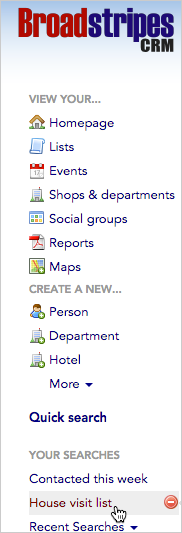
6. Since Broadstripes doesn't know who is on our house visit list, first, we'll need to search for and select the people to include before we can print our sheets.
We'll **run a saved search** to bring up our house visit list. If you don't already have a saved search like this, you can learn about creating your own saved searches in the [save and share searches](/docs/search/save-and-share-searches) article.
5. Now that the questions are saved, we'll look at how to **print the house visit sheets**.
6. Since Broadstripes doesn't know who is on our house visit list, first, we'll need to search for and select the people to include before we can print our sheets.
We'll **run a saved search** to bring up our house visit list. If you don't already have a saved search like this, you can learn about creating your own saved searches in the [save and share searches](/docs/search/save-and-share-searches) article.
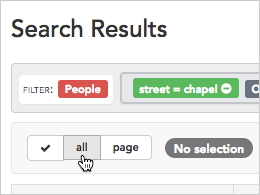
 7. Next, we'll select everyone in our **House visit list** search results by choosing **all** from the toolbar. (You could also select just a few people by checking the box next to their names.)
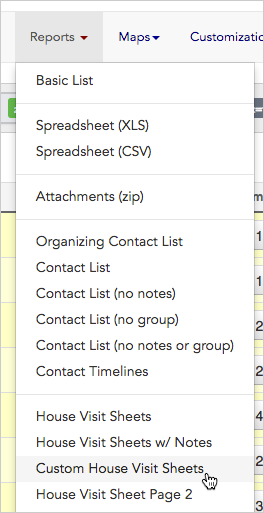
 8. Finally, we'll select **Custom House Visit Sheet** from the **Reports drop-down menu**. This will generate a separate sheet for each person we've selected from the search results, and save it as a single PDF document.
 9. After you give your report a **custom title** and click **OK**, you'll see a message explaining that your house visit sheets are being created and will download automatically.
 10. To **view** and **print** your custom house sheets, you have two choices:
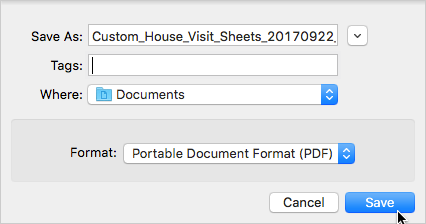
1. You can **stay on the current page** and wait for the **download dialog** to appear. When the dialog box appears, **name** your PDF file, choose **where** to save it and click **Save** to download the sheets immediately.
10. To **view** and **print** your custom house sheets, you have two choices:
1. You can **stay on the current page** and wait for the **download dialog** to appear. When the dialog box appears, **name** your PDF file, choose **where** to save it and click **Save** to download the sheets immediately.
 2. You can **leave the current page** and download the sheets at a later time.
If you choose to download and print your house visit sheets later, click the Reports link in the left-hand navigation panel. That link brings you to the Requested Reports index page.
The custom house visit sheets will include each person's contact information along with your custom questions, making it easy for organizers to have productive conversations and record important responses during house visits.
2. You can **leave the current page** and download the sheets at a later time.
If you choose to download and print your house visit sheets later, click the Reports link in the left-hand navigation panel. That link brings you to the Requested Reports index page.
The custom house visit sheets will include each person's contact information along with your custom questions, making it easy for organizers to have productive conversations and record important responses during house visits.