What is a layout?
Together with searches, layouts let you see the contact information you need in the format that works best for your process. While a search filters the set of contacts displayed by the criteria you choose, a layout determines which exact information to display about those contacts.- an organizing layout (used for membership drives) might show a worker’s name, assessment, employment info, and how to get in touch with them.
- a committee layout (used to track your leadership) might show each leader’s role, how many workers they organize, and what meetings they’ve attended this year.
Choose a layout
- To choose a new layout, start on the search results panel. (Learn about running a search in the Search by workplace or Create and save a search articles.)
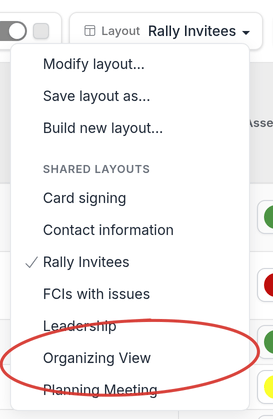
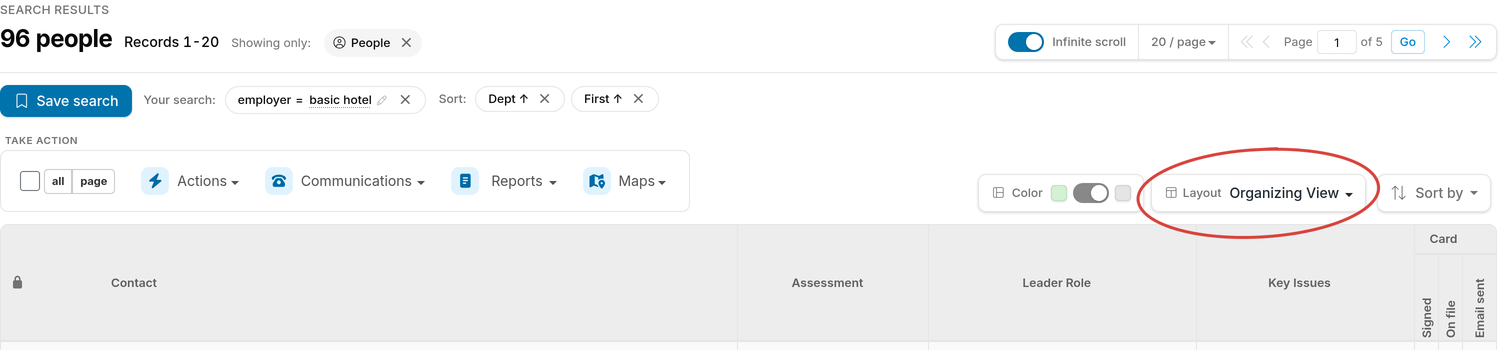
- In the upper-right area above your search results, click the drop-down menu next to the word Layout as shown below. Our drop-down menu is labeled “Organizing view,” but yours will probably look different depending on whether you are currently using a saved layout or not.
- A drop-down list will open, giving you choices to modify, save, or build a layout, or apply a new layout by clicking on that layout’s name.
Layouts: custom-made by you and your team
The layout options you’ll see in your drop-down menu probably look different from ours. Layouts are not built by Broadstripes, but created, saved, and shared by users and project admins to meet your specific needs. What you’ll see in your drop-down menu is any layouts you’ve created, or that other users have shared with you — not a set of pre-made, one-size-fits-all designs. Learn more about creating and saving new layouts in the Create and save a layout article.- We’ll apply a new layout by clicking “Rally Invitees” from the SHARED LAYOUTS section.
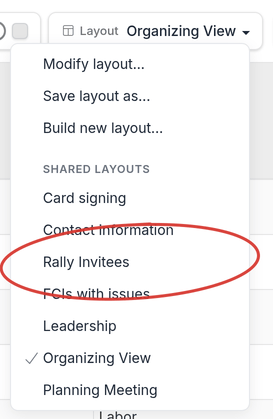
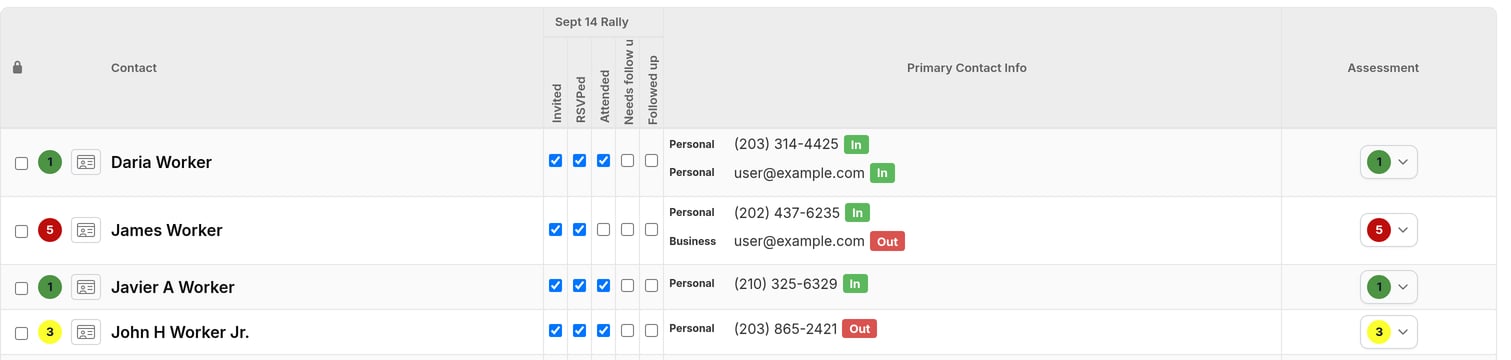
- Once we choose this layout, the type of information we’ll see on screen will change, and we’ll instantly have the benefit of a custom view of information that suits our task of recording rally attendees.
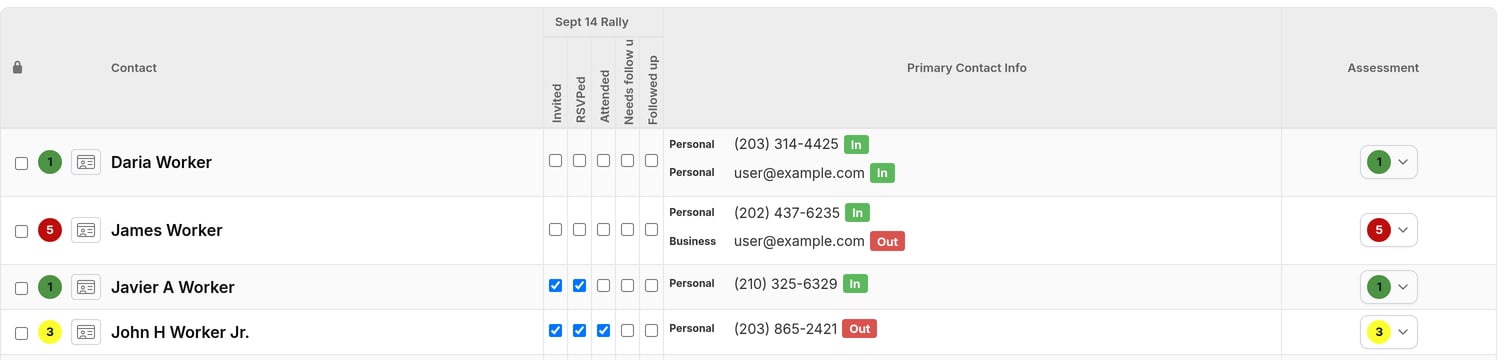
- Using the new layout, we can quickly update contact records by checking boxes to show who attended our event, and who needs follow-up.
- Once we’re done updating this information, we can return to our regular “Organizing view” layout by selecting it from the layout drop-down list just as we did earlier.