

Provision a number
-
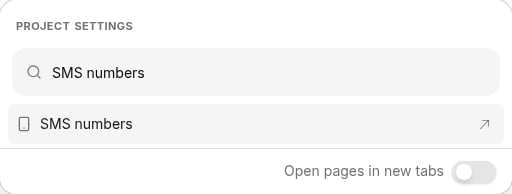
Click the Project settings icon in the upper right corner of any page (or press Ctrl-K / ⌘K), then choose SMS numbers. You can start typing to filter the list.
-
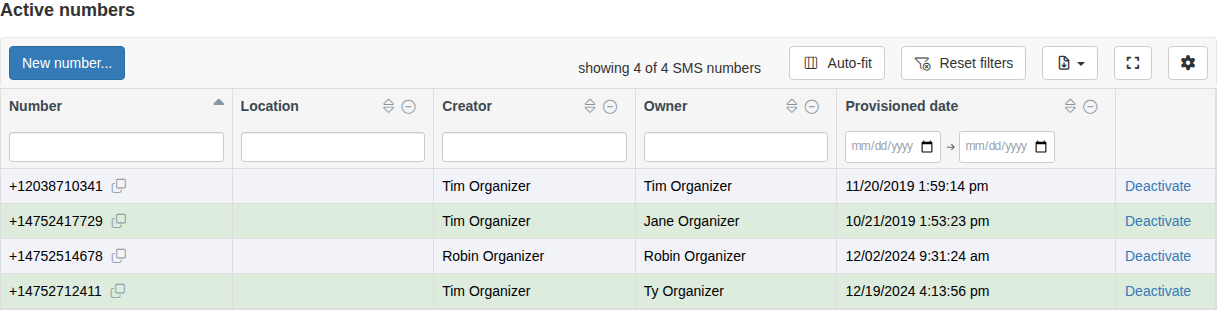
On the SMS numbers page, click New number… in the table toolbar.
-
In the Add a new SMS number dialog, fill in the fields:
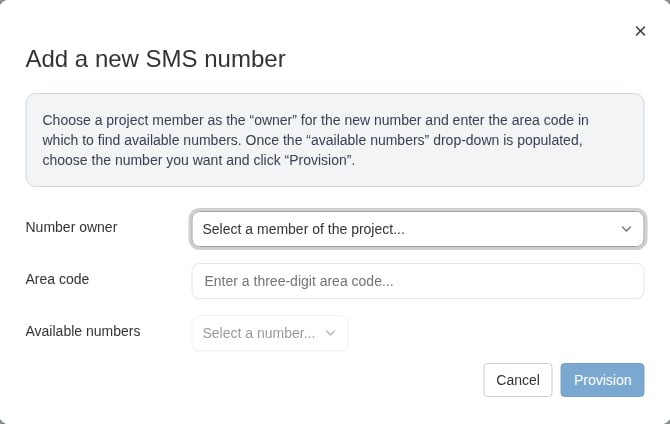
- Number owner — choose the project member who will own the number and send from it. (If you don’t already have a number, you’re selected by default.)
- Area code — enter a three-digit area code that makes sense for your project and your message recipients. Broadstripes looks up available numbers as soon as you enter a valid area code.
- Available numbers — once the dropdown populates, choose the number you want.
- Click Provision.
- A Please wait dialog confirms that your number is being provisioned. This can take up to 24 hours, though it usually finishes in less than an hour. Click OK to close it.