

Welcome to Broadstripes!
Getting started with Broadstripes is simple. It all begins when your Broadstripes administrator creates your account and emails you an invitation to join. You’ll follow the link in that email to set a password and log in to the app. Here’s how:- When your user account is created, you’ll receive an email from your Broadstripes administrator with a subject line like ”Jane Organizer has invited you to [Project Name].” The email will include a Login to [Project Name] button and will show the date your invitation expires.
- Open the invitation email.
- Click the Login to [Project Name] button to open the registration form.
- Clicking the button will open a browser window to a Broadstripes registration form where you’ll enter your phone number, choose your new password and specify your time zone. You must confirm your password by typing it a second time.
Important!Choose a secure password that’s at least eight characters long, and contains at least one punctuation mark or numeric character. Passwords are case-sensitive.
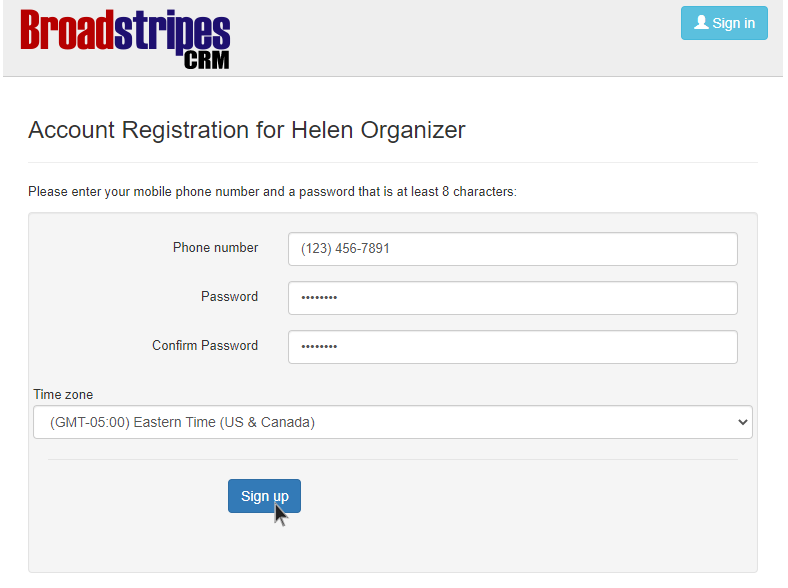
- Once you’ve chosen your password and time zone, click Sign up, and your new account will be created. From there, you’ll be logged in, and automatically taken to your Broadstripe’s homepage.