

Prerequisites
Before you can attach a layout to a saved search, you need a saved layout. If you don’t have one yet, see Create and save a layout to learn how.Attach a layout when saving a search
- Run the search you want to save. (Learn more about creating searches in the search by name or search builder articles.)
-
Click the Save search button in the upper-right corner of the search results panel.
- In the save search dialog, enter a name for your search.
- Choose a search type — Personal, Shared, or For someone else.
-
Use the Attach a layout dropdown to select a saved layout. The dropdown lists your saved layouts grouped by Personal and Shared.
If you set the search type to Shared or For someone else, only shared layouts appear in the dropdown. This prevents personal layouts from being attached to searches that other users will run.
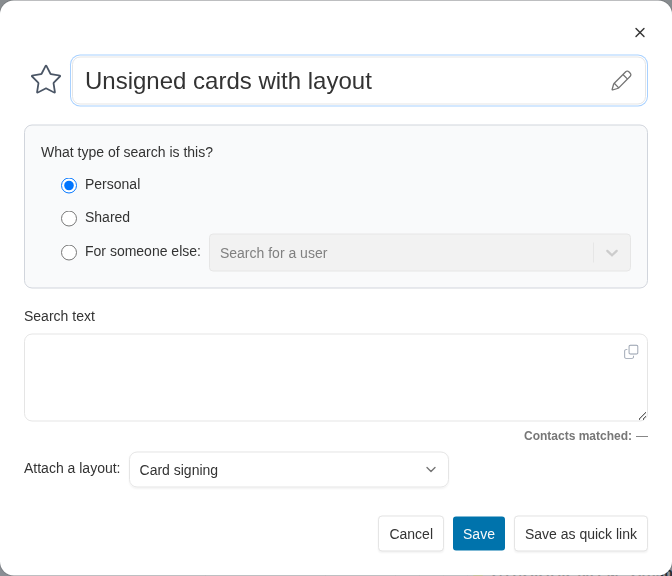
The save search dialog with the 'Attach a layout' dropdown set to a saved layout.
- Click Save. Each time the search is run in the future, Broadstripes automatically displays the columns defined in the attached layout.